Step 1. Open the Capital One Shopping app. Be sure to use the same device.
Step 2. Go to the Arcade tab on the bottom.
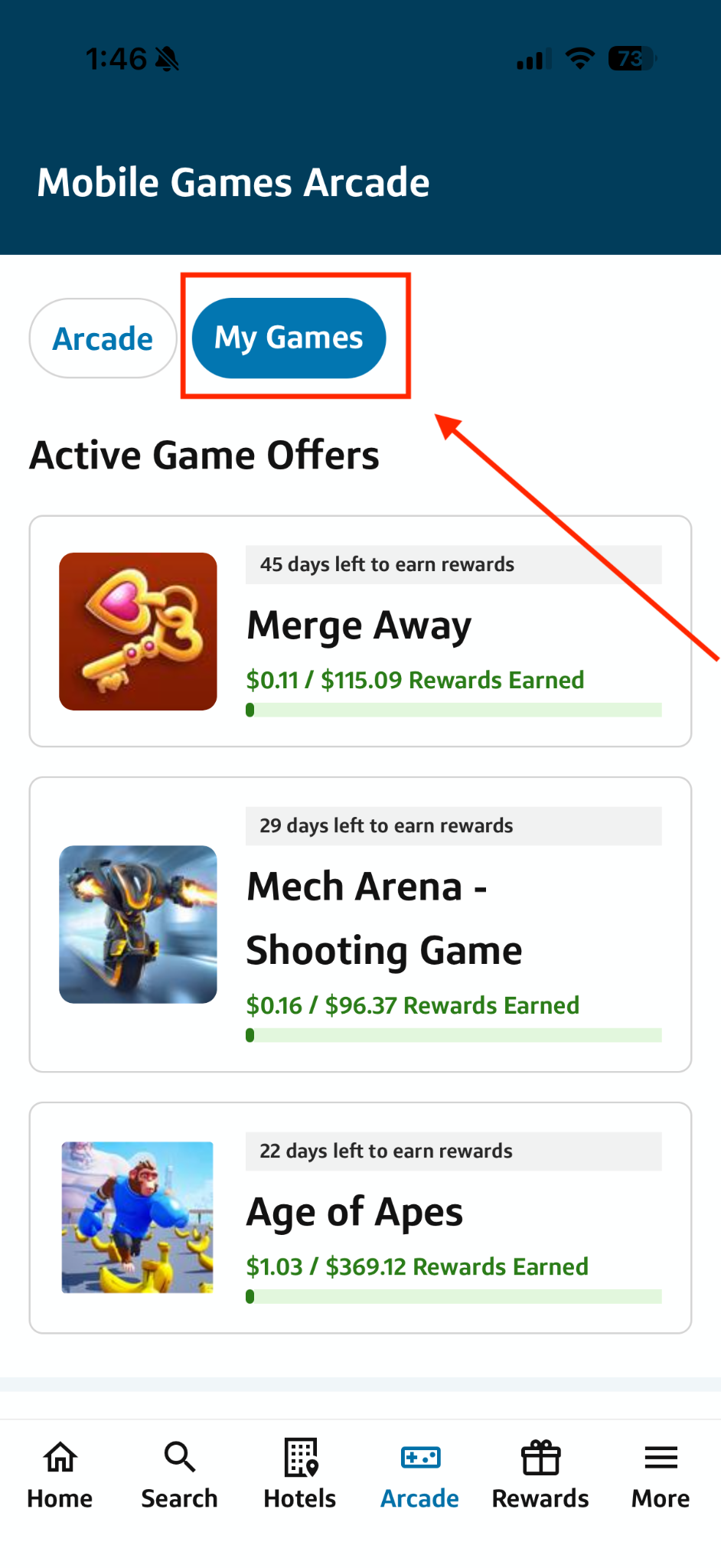
Step 3. Click “My Games” at the top and click on the game you need support for.
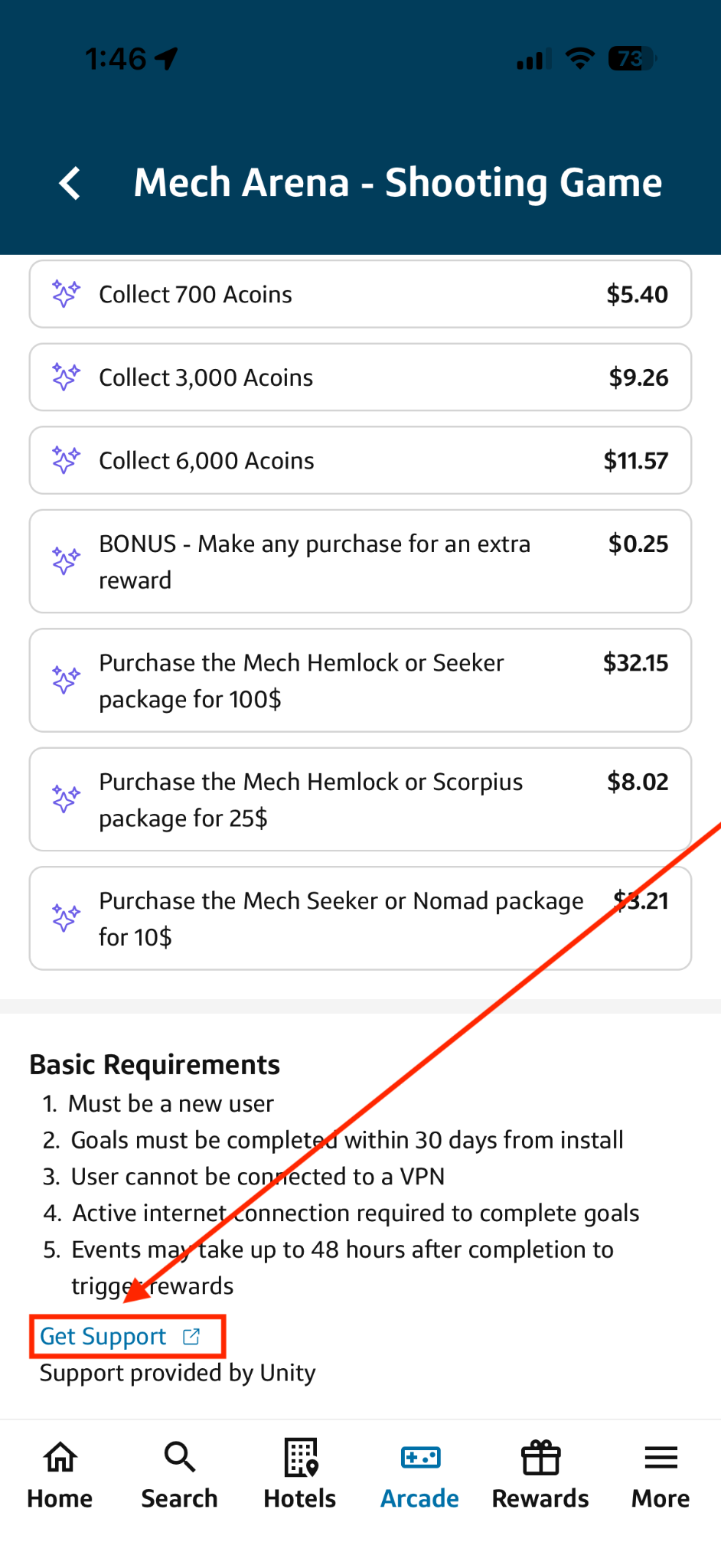
Step 4. Scroll to the bottom of the page and click the “Get Support” link.
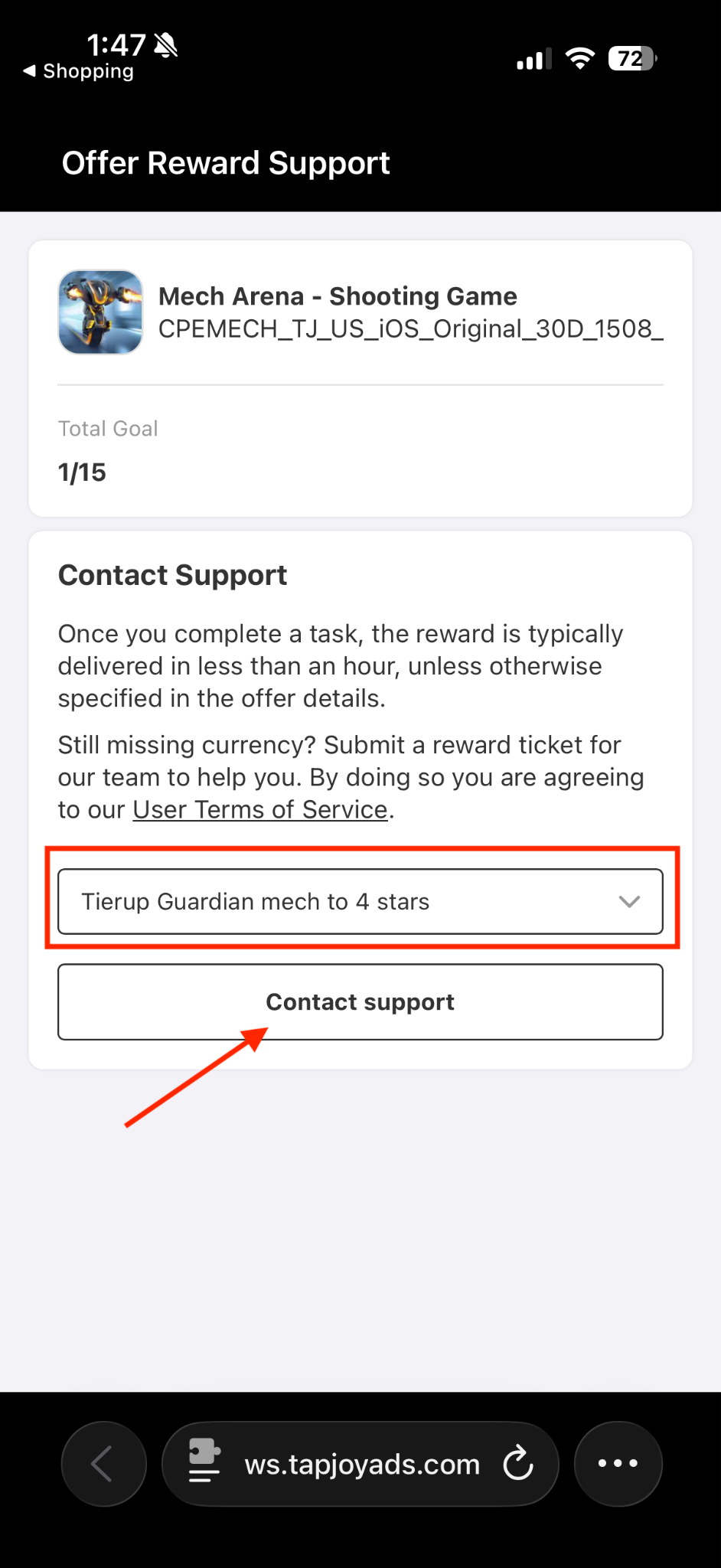
Step 5. Select the Goal or Bonus Challenge you are missing rewards for and click the “Contact Support” butto
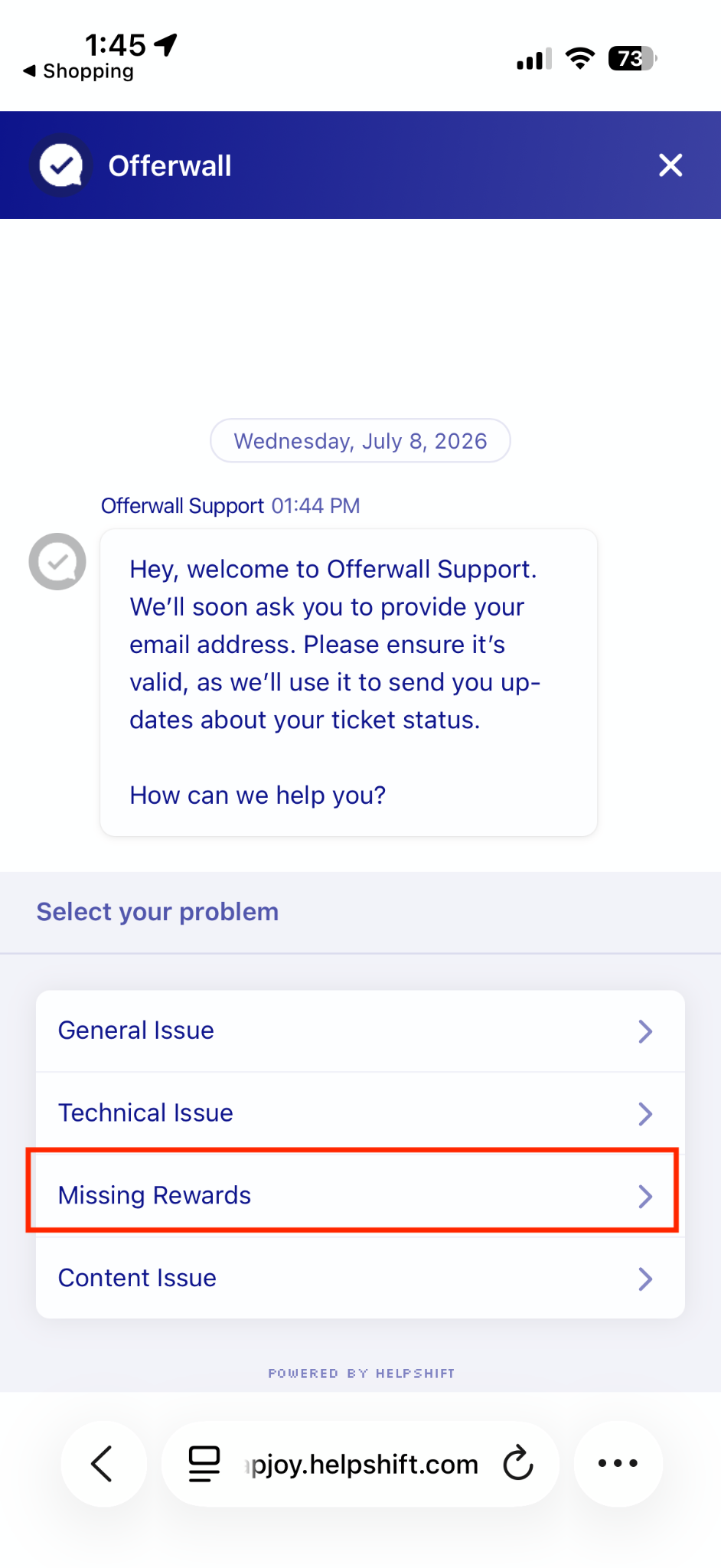
Step 6. The following window will then open. Please select ‘Missing Rewards’ and make sure to answer all of the questions. This is required to complete the submission process.
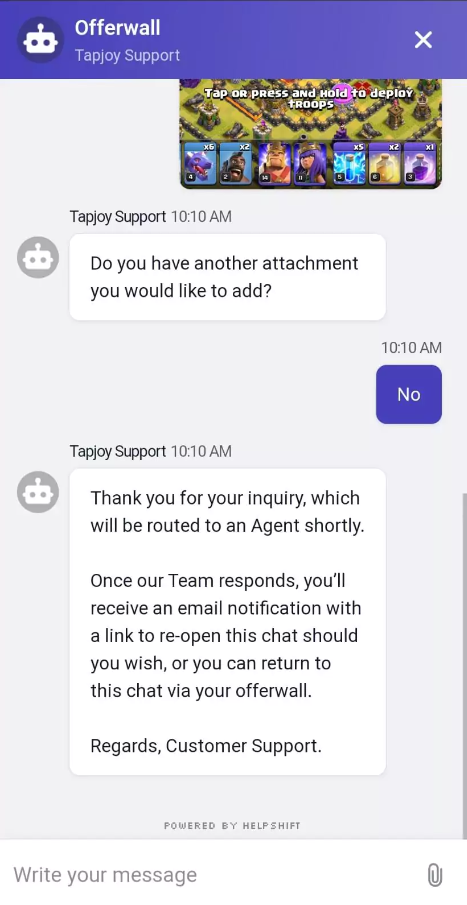
Step 7. After answering the required questions, we will transfer your support request to a customer support agent and you will see the below message. Once an agent responds, we will send you an email with a link to a chat. You may also return to the chat at any time from the offerwall, using the same link you used to open the support request.